The new DJ companion from Heavy Hits
Meet your Sidekick
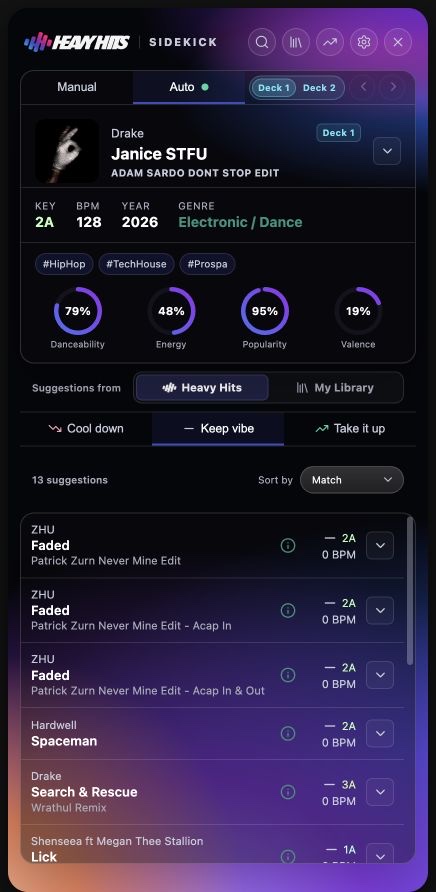
Sidekick listens to what’s playing and keeps the next track within reach — matched by key, BPM, and energy, from your library and the whole Heavy Hits catalog.
0.8.4Use code FIRSTSPIN at checkout for a $9.99 first month ($29.99/mo after). Heavy Hits is for DJs, producers & music professionals only — applications are reviewed within 24 hours.
Beta software · Use with caution during live sets while we’re still in beta.
- Follows the set
- Auto mode tracks the live deck, so a ranked shortlist is ready before the outro.
- Starts with what you own
- Your library ranks first; the full Heavy Hits catalog sits one tab behind it.
- Finds the new direction
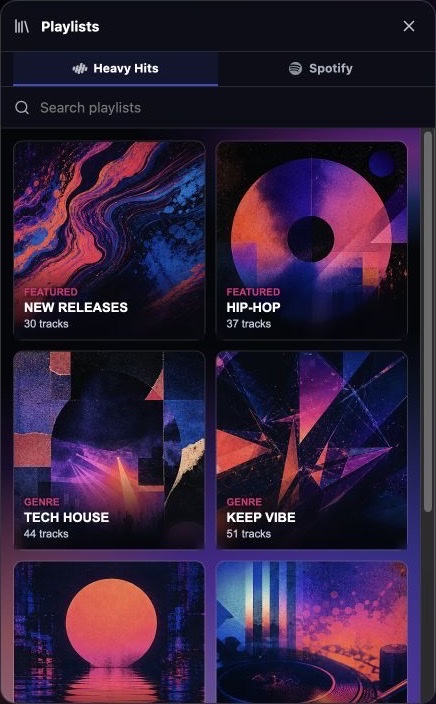
- Browse Heavy Hits playlists and charts, or search Spotify when the floor asks for something else.
- Download and drop
- Download any Heavy Hits catalog track, then drag it straight into your DJ software without leaving the panel.
How it works
From what’s playing to what’s next.
Sidekick keeps the search close to the set — it follows the active deck, ranks what could play next, and gets out of the way.
- 01
Listen
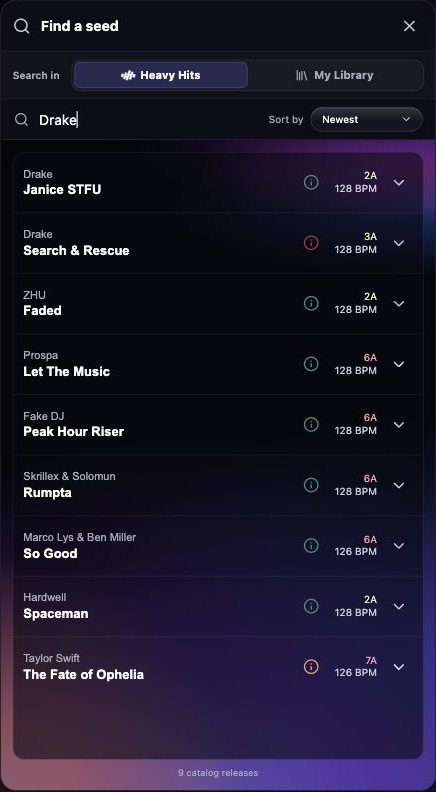
Sidekick follows the active deck and refreshes its suggestions as the set moves.
- 02
Match
Every suggestion is weighed by key, BPM, and energy against the direction you choose — cool it down, keep the vibe, or take it up.
- 03
Download and mix
Download the strongest option, then drag it straight into your DJ software and get back to the blend.
Inside Sidekick
Your library first. The whole catalog when you need it.
Start with the tracks you own. When the set calls for more, the full Heavy Hits catalog — playlists, charts, and new releases — plus Spotify search are already in the panel.
Open a playlist, spot a new direction, or chase an idea on Spotify without leaving the booth. When you find it, download the track and drag it straight into your DJ software.
Ready when the booth is
Put Sidekick in the booth.
Sidekick is built for macOS and included with an active Heavy Hits membership. The download always matches your account and your Mac — Apple Silicon or Intel.